
Designing your own aircraft
Useful tools for turning an idea into something that can actually fly.
Designing and 3D printing RC aircraft has never been more accessible. These are the tools, courses, and creators I recommend for aircraft layout, CG checks, power-system estimates, aerodynamic sanity checks, and early design decisions.
CAD — Onshape
Cloud CAD for building the actual aircraft geometry: fuselages, wings, jigs, mounts, tabs, slots, print parts, and assemblies. This is where the design becomes printable hardware.
eCalc.ch
Useful for early performance checks: CG, neutral point, motor and prop combinations, battery choices, current draw, thrust estimates, and “will this setup make sense?” calculations.
OpenVSP
Great for early aircraft layout and aerodynamic sanity checks. Use it to explore planform, twist, lift distribution, surfaces, and basic configuration changes before committing to CAD detail.
Learning resources
These are good starting points if you want to go deeper than “copy a shape and hope.” Use them to build the judgement behind your aircraft designs.
MIT — Introduction to Aerospace Engineering and Design
A strong broad introduction to aerospace engineering concepts, design thinking, aeronautics, astronautics, and hands-on aerospace systems.
Open MIT course →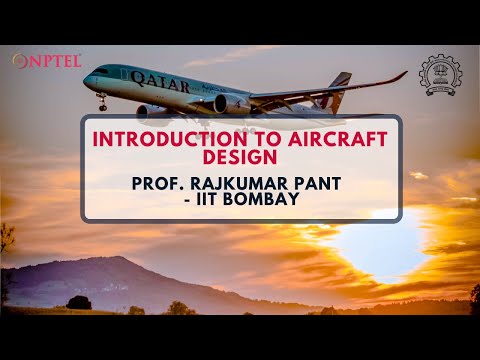
IIT Bombay / NPTEL — Introduction to Aircraft Design
A proper aircraft design course covering the design process, configuration choices, sizing, performance, and conceptual design logic.
Open aircraft design playlist →
IIT Bombay / NPTEL — Introduction to Aerospace Engineering / Flight
A beginner-friendly overview of flight, aircraft systems, aerodynamics, propulsion, and the wider aerospace engineering field.
Open aerospace playlist →MIT — Aerodynamics
More advanced aerodynamic theory for wings, bodies, potential flow, boundary layers, airfoils, lifting-line ideas, and higher-speed flow.
Open aerodynamics course →René Rosentraeger
3D-printed RC aircraft, jets, VTOL experiments, design process videos, flight testing, and serious inspiration for printable aircraft development.
Open René's channel →Painless360 — INAV for Beginners
Practical INAV setup, configuration, fixed-wing flight-controller workflow, and RC build guidance from one of the clearest RC tutorial channels.
Open INAV playlist →MIT AeroAstro Course Library
The wider MIT Aeronautics and Astronautics OpenCourseWare library, useful for structures, dynamics, control, systems, and aero.
Open MIT AeroAstro library →A simple aircraft design workflow
You do not need to start with a perfect aircraft. Start with a clear mission, make conservative estimates, build something simple, then improve it with flight data.
Define the mission
Decide what the aircraft is for: speed, endurance, slope soaring, FPV freestyle, easy launching, payload, or learning.
Set the basic numbers
Estimate wingspan, wing area, target mass, wing loading, battery size, motor size, stall speed, and launch method.
Check balance and power
Use CG and power-system calculators before cutting plastic. A design that cannot balance cleanly is usually painful to build.
Prototype carefully
Print light, keep the structure simple, test fit everything, fly conservatively, then improve one thing at a time.
Quick links
Start with these resources, then come back to the WUDFLY pages for printing, safety, and build support.
Onshape
Cloud CAD for part modelling, assemblies, configurations, jigs, drawings, and printable aircraft components.
Open Onshape →eCalc
RC calculators for CG, motor, prop, battery, current draw, thrust, and early performance estimates.
Open eCalc →OpenVSP
Aircraft geometry and aerodynamic exploration tool for planform, twist, lift distribution, and layout studies.
Open OpenVSP →WUDFLY print profiles
LW-PLA profile guidance and print notes for lightweight 3D-printed aircraft parts.
View print profiles →Drone rules and maps
Useful links for checking airspace, UAS geographical zones, and local flying restrictions.
Check flying rules →WUDFLY resources
Return to the main support hub for aircraft resources, print profiles, support pages, and safety links.
Back to resources →Important design reminders
Small RC aircraft are sensitive to weight, balance, stiffness, print quality, and setup. Treat every new aircraft as a test article until it has proved itself.
- Start conservative: use a forward, safe CG for first flights and move back slowly only after testing.
- Watch wing loading: small aircraft get demanding quickly when weight creeps up.
- Leave room for electronics: design around the real battery, ESC, FC, VTX, RX, GPS, wires, and cooling needs.
- Think about repair: make crash-prone parts replaceable and avoid burying electronics permanently.
- Validate print strength: check layer adhesion, fastener areas, spar paths, motor mounts, and heat-exposed parts.
- Test one change at a time: otherwise you will not know what actually improved the aircraft.